











Featured case study

A vintage brown and gray typewriterAI · LegalA Litify Expert That Cites Its SourcesRead the case study
Not sure where to start?Tell us what you’re trying to solve. We’ll point you to the right team.Talk to an expert

Featured case study

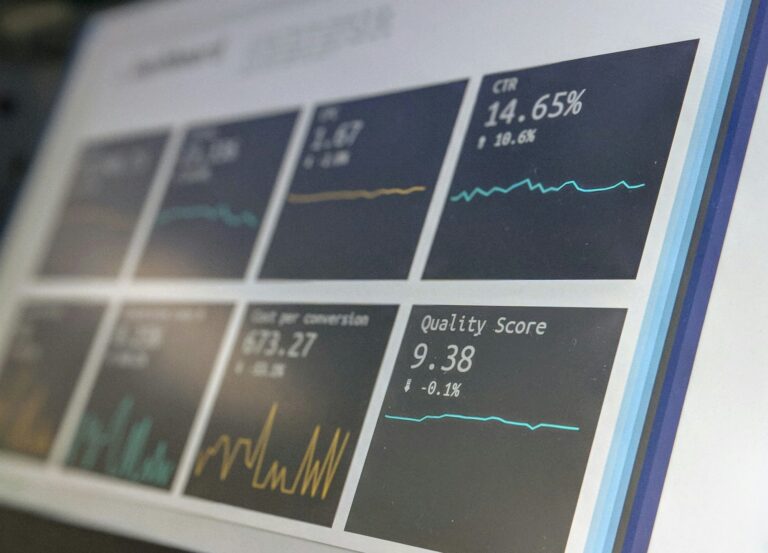
A screen showing charts and performance metricsData · HealthcareLive Risk KPIs, Embedded Where Clients Already WorkRead the case study
Not sure where to start?Tell us what you’re trying to solve. We’ll point you to the right team.Talk to an expert

Featured case study

A modern stone building with an evergreen tree out frontGovernment & Nonprofits · Web & DigitalA Member Website a Union Can Rely OnRead the case study
Not sure where to start?Tell us what you’re trying to solve. We’ll point you to the right team.Talk to an expert
Staff Augmentation

Experienced developers and admins who work inside your team, your tools, and your process.

Featured case study

A pink brain outline beside a maze shaped like the other half of a brainCustom Development · HealthcareAn Embedded Engineering Team, Six Years and CountingRead the case study
Not sure where to start?Tell us what you’re trying to solve. We’ll point you to the right team.Talk to an expert
AppExchange Products

Apps BRIO built for Litify and Salesforce, installed and supported by the team that made them.

Featured case study

A tall glass building facade with rows of windowsLegal · LitifyAutomated Client Communication Inside LitifyRead the case study
Not sure where to start?Tell us what you’re trying to solve. We’ll point you to the right team.Talk to an expert
Legal

Litify and legal technology from a team that includes former lawyers and paralegals.

How we help

Common challenges we solve

  • Case data scattered across legacy systems
  • Manual records requests, notes, and court emails
  • Reporting that leadership can trust
Healthcare

Secure platforms and analytics for care providers, benefits firms, and health advocates.

How we help

Common challenges we solve

  • Sensitive data that needs careful protection
  • Enrollment and review deadlines that never move
  • Clients asking for clear, current metrics
Finance & Insurance

Enrollment, claims, and internal tools built on data you can audit.

How we help

Common challenges we solve

  • Internal roadmaps bigger than the team
  • Claims and pricing work stuck in spreadsheets
  • Strict review and release standards
Construction & Utilities

Portals, field data, and reporting for contractors, utilities, and job-site services.

How we help

Common challenges we solve

  • Customers who want self-service requests and reports
  • Field data that is hard to act on
  • Operations running on aging systems
Government & Nonprofits

Mission-driven systems built to serve people well and protect sensitive information.

How we help

Common challenges we solve

  • Several systems for one organization
  • Sensitive records with need-to-know access
  • Small teams managing large websites
Media & Retail

Commerce and back-office systems for businesses with one-of-a-kind products.

How we help

Common challenges we solve

  • Inventory that must stay in sync online and in store
  • Catalogs and publishing done by hand
  • Stores that need steady updates
Technology & Startup

Scalable platforms and integrations for teams that move fast.

How we help

Common challenges we solve

  • Choosing a stack you will not outgrow
  • Shipping fast without piling up debt
  • Adding senior talent without long hiring cycles

Let’s build it

Building something new?Tell us where you’re headed. We’ll help you choose a platform you won’t outgrow.Start the conversation
All industries Browse case studies by industryNot listed? Our process works across sectors.
/
/
Salesforce Sandbox Types Explained: Developer, Partial Copy, and Full

Guides

Open role

Salesforce Sandbox Types Explained: Developer, Partial Copy, and Full

What Salesforce sandboxes are, how Developer, Developer Pro, Partial Copy, and Full sandboxes differ, and which one to use for building, testing, and training, including in Litify.

Litify · Salesforce
Colorful abstract blocks arranged in rows

A Salesforce sandbox is a separate copy of your Salesforce org used to build, test, and train without affecting live users or data. Salesforce offers four types (Developer, Developer Pro, Partial Copy, and Full), and they differ mainly in how much of your data they include and how often they can be refreshed.

Because Litify is built on Salesforce, the same sandbox types apply to Litify orgs. This guide explains each type and how teams typically use them together.

Why sandboxes matter

Making changes directly in production (your live org) is risky. A new automation can send emails to real clients, a layout change can confuse staff mid-day, and a mistake can affect real data. Sandboxes let your team develop and test changes safely, then deploy them to production once they’re approved.

The four Salesforce sandbox types

Developer sandbox

A Developer sandbox copies your org’s configuration (objects, fields, layouts, automation, and code) but none of your data. It has a small amount of storage for test records you create yourself and can be refreshed as often as once a day.

Best for: individual development and early prototyping, where a developer or admin needs a clean space to build a feature.

Developer Pro sandbox

A Developer Pro sandbox works like a Developer sandbox but with more storage, so teams can load larger sets of test data. It also refreshes daily.

Best for: development that needs more test data, or integration work that runs larger data sets.

Partial Copy sandbox

A Partial Copy sandbox includes your configuration plus a sample of your production data, chosen with a sandbox template that defines which objects to copy. It includes a limited number of records per object and can be refreshed every five days.

Best for: building and testing against realistic data, and much of the day-to-day development on larger projects. Because it only contains a sample, it isn’t a reliable place for full data validation.

Full sandbox

A Full sandbox is a complete copy of production, including all data and file attachments, with the same storage as your live org. It can be refreshed about once a month (every 29 days).

Best for: final quality assurance, user acceptance testing, trial data migrations, performance testing, and training, anywhere results need to match production exactly.

Sandbox comparison at a glance

  • Developer: configuration only, small test storage, refresh daily.
  • Developer Pro: configuration only, more test storage, refresh daily.
  • Partial Copy: configuration plus a data sample, refresh every 5 days.
  • Full: configuration plus all data and files, refresh every 29 days.

Storage limits and included sandboxes change over time, so check Salesforce’s current documentation for your edition.

Which sandboxes come with my Salesforce edition?

It depends on your edition and licenses. Enterprise Edition includes Developer sandboxes and one Partial Copy sandbox. Unlimited and Performance editions also include a Full sandbox. Full sandboxes and additional sandboxes can be purchased for other editions. Litify orgs follow the same rules as the underlying Salesforce edition, so confirm what your contract includes before planning your project.

How teams use sandboxes together

Most projects use more than one sandbox, moving changes along a path from development to production:

  • Build in Developer or Partial Copy sandboxes, where admins and developers create and unit-test features.
  • Test in a Full sandbox (or a Partial Copy if a Full isn’t available), where quality assurance and your own staff test with realistic data.
  • Deploy approved changes to production using change sets or a deployment tool, ideally during a planned release window.

On a Litify implementation, for example, configuration is often built in a Partial Copy sandbox, trial data migrations and user acceptance testing happen in a Full sandbox, and the final configuration and data move to production at go-live. This keeps testing close to reality without putting live work at risk. Our Litify implementation timeline shows where this fits.

Sandbox best practices

  • Refresh before major work. An outdated sandbox can hide conflicts with recent production changes.
  • Protect sensitive data. Full and Partial Copy sandboxes contain real client data, so limit access and consider masking sensitive fields.
  • Turn off outbound email and integrations. Make sure test activity can’t message real clients or update connected systems.
  • Name and document your sandboxes. Everyone should know which sandbox is for what, and who owns it.
  • Test deployments, too. Rehearse moving changes to production, not just the changes themselves.

Need help setting up environments and a release process? Our Salesforce implementation team and admins for hire can help.

Frequently asked questions

What is a Salesforce sandbox?

A Salesforce sandbox is a separate copy of your Salesforce org used for development, testing, and training, so changes can be built and tested without affecting live users or data.

What is the difference between a Partial Copy and a Full sandbox?

A Partial Copy sandbox includes your configuration and a sample of your data, and can be refreshed every five days. A Full sandbox is a complete copy of production, including all data and files, and can be refreshed every 29 days.

Which sandbox should we use for user acceptance testing?

A Full sandbox is best for user acceptance testing because it matches production. If a Full sandbox isn’t available, a Partial Copy sandbox with a well-chosen data sample is the next best option.

Does Litify use Salesforce sandboxes?

Yes. Litify is built on Salesforce, so Litify orgs use the same sandbox types and follow the same limits as the underlying Salesforce edition.


At a glance

About this guide

Share this role

Industry & services

Topics

Litify · Salesforce

Share

Have a similar project?

Planning a project?

Tell us what you’re working on and we’ll share how we’d approach it.

Talk with a consultant about your goals, timeline, and data. We’ll help you map out next steps.

Interested in this role?

Apply below with your LinkedIn profile and resume.

Keep reading

Related work

A vintage brown and gray typewriter
AI · Legal · Litify

A Litify Expert That Cites Its Sources

Plenty of people talk about retrieval-augmented generation. BRIO built and runs it: a Litify knowledge expert that answers product questions only from

Read more →

A screen showing charts and performance metrics
Data · Healthcare · Salesforce · Tableau

Live Risk KPIs, Embedded Where Clients Already Work

A healthcare risk management firm wanted its clients to see incident trends without another login. BRIO designed custom risk KPIs and Tableau

Read more →

A white brain model with a cursor and the letters ai on a yellow grid
AI · Salesforce

Estimates You Can Trace Back to the Code

A ticket lifecycle where AI reads the client's actual repository before it writes a technical spec or an estimate, and refuses to

Read more →

Get started

Careers

Apply for this role

Let’s build your success story

Have a question about your project?

Tell us what you’re working on. We’ll follow up to set up a discovery call.

Share a few details, your LinkedIn profile, and your resume. Our team reviews every application and follows up.

What happens next

1

We review your note and follow up

2

A discovery call with a BRIO consultant

3

Clear recommendations and next steps

What happens next

1

We review your application

2

An intro call with our team

3

Interviews and next steps

We only use your information to respond to you.