














Featured case study

A vintage brown and gray typewriterAI · LegalA Litify Expert That Cites Its SourcesRead the case study
Not sure where to start?Tell us what you’re trying to solve. We’ll point you to the right team.Talk to an expert

Featured case study

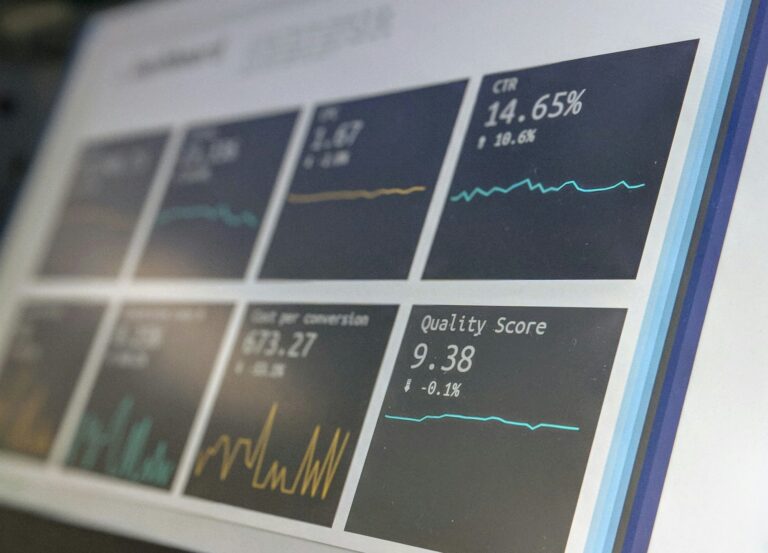
A screen showing charts and performance metricsData · HealthcareLive Risk KPIs, Embedded Where Clients Already WorkRead the case study
Not sure where to start?Tell us what you’re trying to solve. We’ll point you to the right team.Talk to an expert

Featured case study

A modern stone building with an evergreen tree out frontGovernment & Nonprofits · Web & DigitalA Member Website a Union Can Rely OnRead the case study
Not sure where to start?Tell us what you’re trying to solve. We’ll point you to the right team.Talk to an expert
Staff Augmentation

Experienced developers and admins who work inside your team, your tools, and your process.

Featured case study

A pink brain outline beside a maze shaped like the other half of a brainCustom Development · HealthcareAn Embedded Engineering Team, Six Years and CountingRead the case study
Not sure where to start?Tell us what you’re trying to solve. We’ll point you to the right team.Talk to an expert
AppExchange Products

Apps BRIO built for Litify and Salesforce, installed and supported by the team that made them.

Featured case study

A tall glass building facade with rows of windowsLegal · LitifyAutomated Client Communication Inside LitifyRead the case study
Not sure where to start?Tell us what you’re trying to solve. We’ll point you to the right team.Talk to an expert
Legal

Litify and legal technology from a team that includes former lawyers and paralegals.

How we help

Common challenges we solve

  • Case data scattered across legacy systems
  • Manual records requests, notes, and court emails
  • Reporting that leadership can trust
Healthcare

Secure platforms and analytics for care providers, benefits firms, and health advocates.

How we help

Common challenges we solve

  • Sensitive data that needs careful protection
  • Enrollment and review deadlines that never move
  • Clients asking for clear, current metrics
Finance & Insurance

Enrollment, claims, and internal tools built on data you can audit.

How we help

Common challenges we solve

  • Internal roadmaps bigger than the team
  • Claims and pricing work stuck in spreadsheets
  • Strict review and release standards
Construction & Utilities

Portals, field data, and reporting for contractors, utilities, and job-site services.

How we help

Common challenges we solve

  • Customers who want self-service requests and reports
  • Field data that is hard to act on
  • Operations running on aging systems
Government & Nonprofits

Mission-driven systems built to serve people well and protect sensitive information.

How we help

Common challenges we solve

  • Several systems for one organization
  • Sensitive records with need-to-know access
  • Small teams managing large websites
Media & Retail

Commerce and back-office systems for businesses with one-of-a-kind products.

How we help

Common challenges we solve

  • Inventory that must stay in sync online and in store
  • Catalogs and publishing done by hand
  • Stores that need steady updates
Technology & Startup

Scalable platforms and integrations for teams that move fast.

How we help

Common challenges we solve

  • Choosing a stack you will not outgrow
  • Shipping fast without piling up debt
  • Adding senior talent without long hiring cycles

Let’s build it

Building something new?Tell us where you’re headed. We’ll help you choose a platform you won’t outgrow.Start the conversation
All industries Browse case studies by industryNot listed? Our process works across sectors.
/
/
The Real Cost of Keeping Legacy Software Around

Insights

Open role

The Real Cost of Keeping Legacy Software Around

Legacy software rarely fails all at once. It gets more expensive, slower, and riskier every year. Here’s how to see the real cost of keeping an old system, and how to decide what to do about it.

Custom Development
A retro computer displaying lines of green code

Old software rarely breaks all at once. It just keeps working, a little worse each year. That’s what makes legacy systems so expensive: the costs are real, but they’re spread out, hidden in workarounds, and easy to postpone.

Replacing a system that still runs can feel like spending money to solve a problem you don’t have yet. But the question isn’t whether your legacy software works today. It’s what it costs to keep it working, and what it’s stopping you from doing.

Signs a system has become a liability

  • Only one or two people know how it really works.
  • Simple changes take weeks, or nobody is willing to touch them.
  • Staff keep side spreadsheets because the system can’t do what they need.
  • It doesn’t connect to the tools your team uses now.
  • Security updates, support, or the underlying platform are ending.
  • Reporting means exporting data and rebuilding it by hand.

If several of these sound familiar, the system is probably costing more than it appears.

The costs that don’t show up on an invoice

Key-person risk

When one developer or administrator is the only person who understands a system, the business depends on that person’s availability. A resignation or retirement can turn a stable system into an emergency.

Workarounds and duplicate work

Every spreadsheet built to fill a gap, every copy-and-paste between systems, and every manual report is a cost your team pays every day.

Security and compliance exposure

Unsupported software doesn’t receive security fixes. The longer it runs, the more exposure it carries, and the harder it becomes to meet client and regulatory expectations.

Trapped data

Data locked in an old system is hard to report on, share, or use with modern tools, including AI. The value of that data is limited by the system holding it.

Opportunity cost

The biggest cost is often what you can’t do: launch a client portal, integrate a new service, or scale without adding staff.

Your options, from least to most disruptive

  • Keep and contain. Stabilize the system, document it, and limit new investment while you plan.
  • Wrap it. Add integrations or an API layer so modern tools can work with the old system’s data.
  • Refactor. Improve the code and structure without changing what the system does.
  • Replatform. Move the system to modern infrastructure with limited changes to how it works.
  • Replace. Move to a new system, either an established platform or custom software built around your processes.

There’s no single right answer. The best choice depends on how central the system is, how well it fits your processes, and how much change your team can absorb.

What a good modernization looks like

The most successful projects we’ve seen share a few traits. They start by documenting what the old system really does, including the undocumented rules people rely on. They move data carefully and validate it. And they plan the move in stages, so the business keeps running throughout.

For a specialty retailer, BRIO replaced a patchwork of tools with a custom back office built around how the business actually works. For a public defender’s office, we moved every practice into one system. In both cases, the old systems still “worked.” The organizations just couldn’t grow with them.

How to start

  • List your systems and rate each one on business importance and risk.
  • Estimate the time your team spends on workarounds each week.
  • Identify who knows each system, and what happens if they leave.
  • Pick the system with the highest combined risk and cost, and plan its next step.

Modernization doesn’t have to be a big-bang project. It has to be a plan. Talk to our custom development team about where to start.

Frequently asked questions

What is legacy software?

Legacy software is an older system that’s still essential to the business but is outdated, hard to maintain, or no longer fits current needs, even if it still works.

When should a legacy system be replaced?

Consider replacing a system when it creates key-person risk, requires constant workarounds, can’t integrate with current tools, or is losing security support.

What are the options for modernizing legacy software?

Common options include containing the system, wrapping it with integrations, refactoring the code, replatforming to modern infrastructure, or replacing it with a new platform or custom software.


At a glance

About this guide

Share this role

Industry & services

Topics

Custom Development

Share

Have a similar project?

Planning a project?

Tell us what you’re working on and we’ll share how we’d approach it.

Talk with a consultant about your goals, timeline, and data. We’ll help you map out next steps.

Interested in this role?

Apply below with your LinkedIn profile and resume.

Keep reading

Related work

A vintage brown and gray typewriter
AI · Legal · Litify

A Litify Expert That Cites Its Sources

Plenty of people talk about retrieval-augmented generation. BRIO built and runs it: a Litify knowledge expert that answers product questions only from

Read more →

A screen showing charts and performance metrics
Data · Healthcare · Salesforce · Tableau

Live Risk KPIs, Embedded Where Clients Already Work

A healthcare risk management firm wanted its clients to see incident trends without another login. BRIO designed custom risk KPIs and Tableau

Read more →

A white brain model with a cursor and the letters ai on a yellow grid
AI · Salesforce

Estimates You Can Trace Back to the Code

A ticket lifecycle where AI reads the client's actual repository before it writes a technical spec or an estimate, and refuses to

Read more →

Get started

Careers

Apply for this role

Let’s build your success story

Have a question about your project?

Tell us what you’re working on. We’ll follow up to set up a discovery call.

Share a few details, your LinkedIn profile, and your resume. Our team reviews every application and follows up.

What happens next

1

We review your note and follow up

2

A discovery call with a BRIO consultant

3

Clear recommendations and next steps

What happens next

1

We review your application

2

An intro call with our team

3

Interviews and next steps

We only use your information to respond to you.